

Chat Exporter for Discord
Export Discord chat messages from channels, threads and DMs to HTML, JSON, CSV or TXT, with images. Free, unlimited, no account.
Export Discord chat history to files you keep
Chat Exporter for Discord is a free Chrome extension that exports Discord chat history to files you keep: server channels, threads, forum posts, direct messages and group DMs, as HTML, JSON, CSV or TXT, with images if you like. Back up a Discord channel, save your DMs with a friend, or export many channels in one go. It works inside your own browser, with your own Discord login.
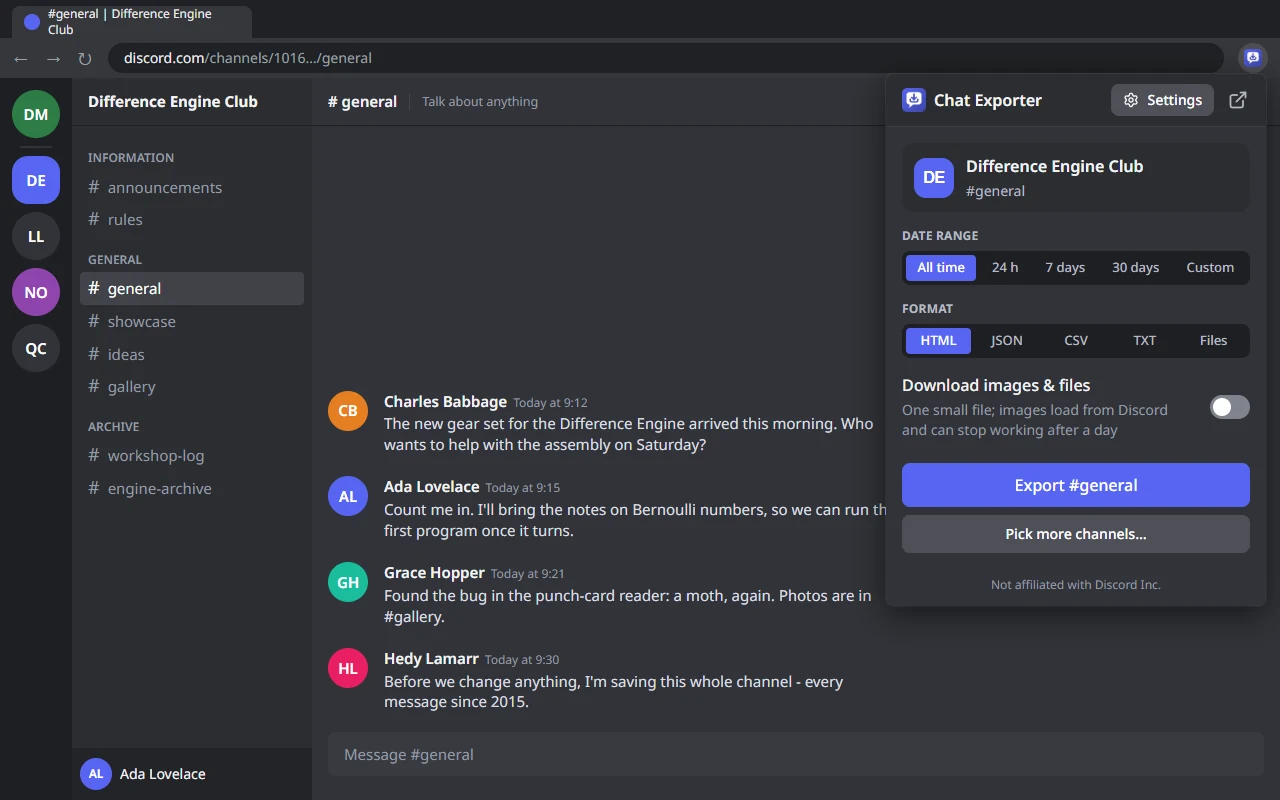
- One-click export from the popup Open a channel on discord.com, click the extension icon, press Export. The open channel is already filled in.
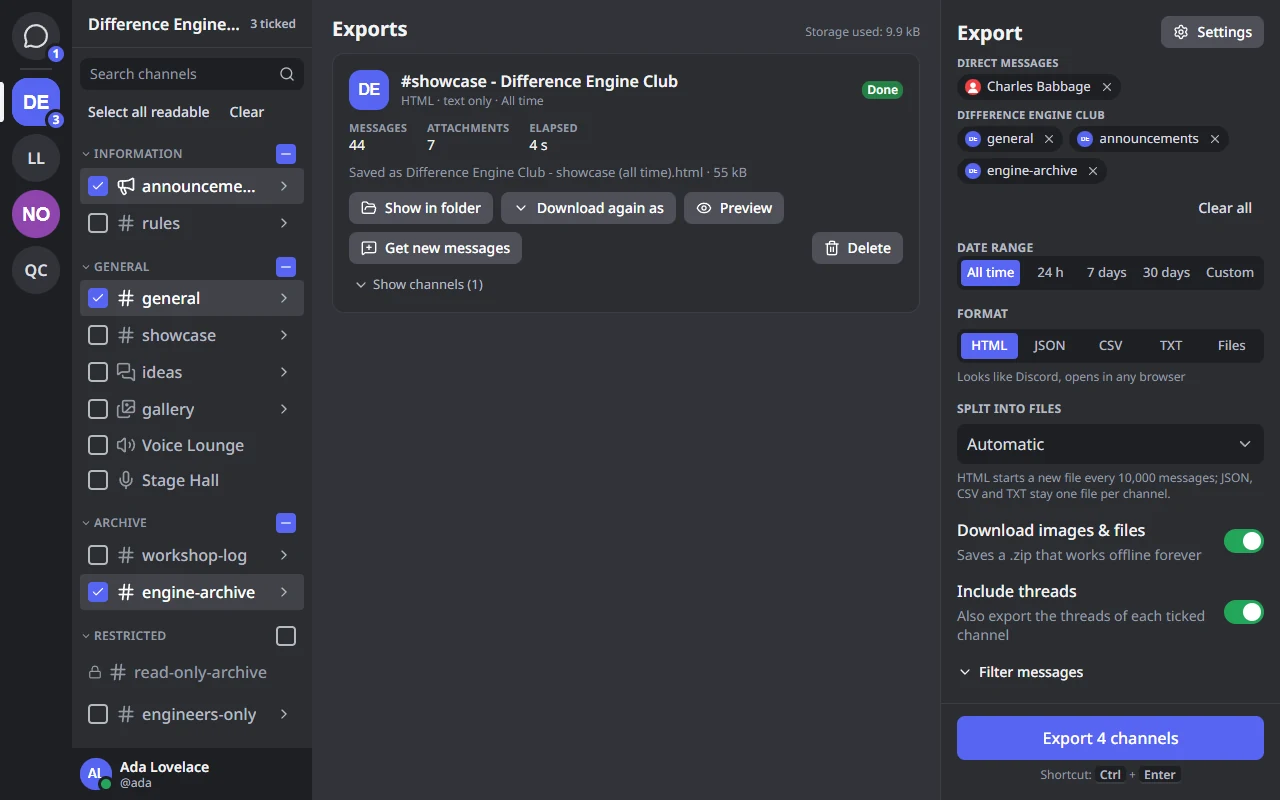
- Exporter tab for big jobs Your servers sit in a rail on the left, like in Discord. Tick many channels, threads, forum posts, DMs and group DMs at once, from different servers, and export them together.
- Images and files Optionally get one ZIP with every image and attachment.
- Filter Keep only the messages from the people you choose, with a word you choose, or with images, files or links. You can also keep only the messages that mention someone or only pinned ones, and leave out bots.
- Get new messages One click on a finished export saves only what was sent since then - no copies of what you already have. Click the extension icon on a channel you saved before, and it tells you when there are new messages.
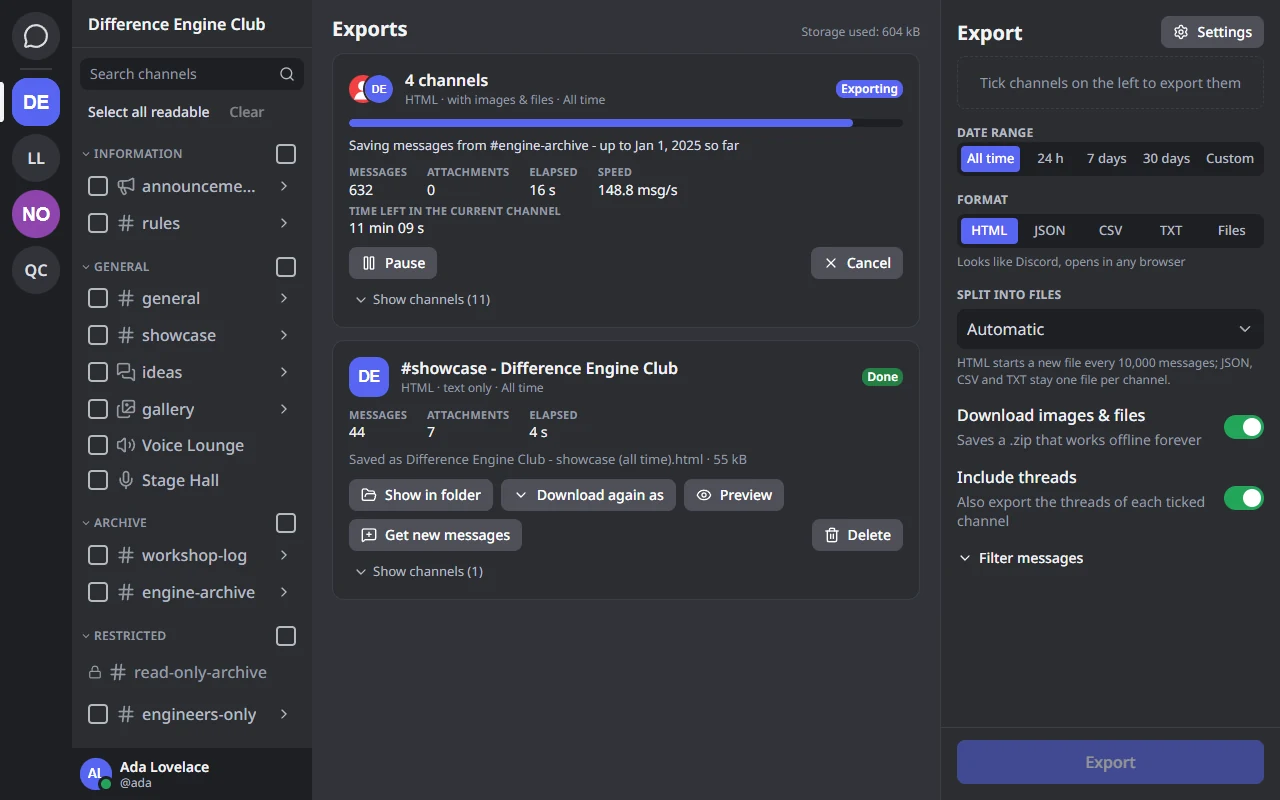
- Pause, resume, cancel An export that was interrupted continues where it stopped.
- Gentle pace The speed is adjustable and follows Discord's rate limits.
- Keyboard Ctrl+K opens the quick switcher, Ctrl+Enter starts the export, and every control can be reached with Tab.
- Dark and light theme, 21 languages It looks and feels like Discord.
- No limits No message limit: download the full chat history of a channel or DM. No account, no subscription.
- Built for big exports Very large channels are split into parts that open fast, and the export keeps going in a background tab - just leave the Exporter tab open.
How to export a Discord chat
- Open a channel, thread or DM on discord.com and click the extension icon. The open channel is already filled in.
- Pick a date range - down to the minute if you like - and a format.
- Press Export. The file is saved to your Downloads folder, in “Discord Exports”.
Export Discord to HTML, PDF, JSON, CSV or TXT
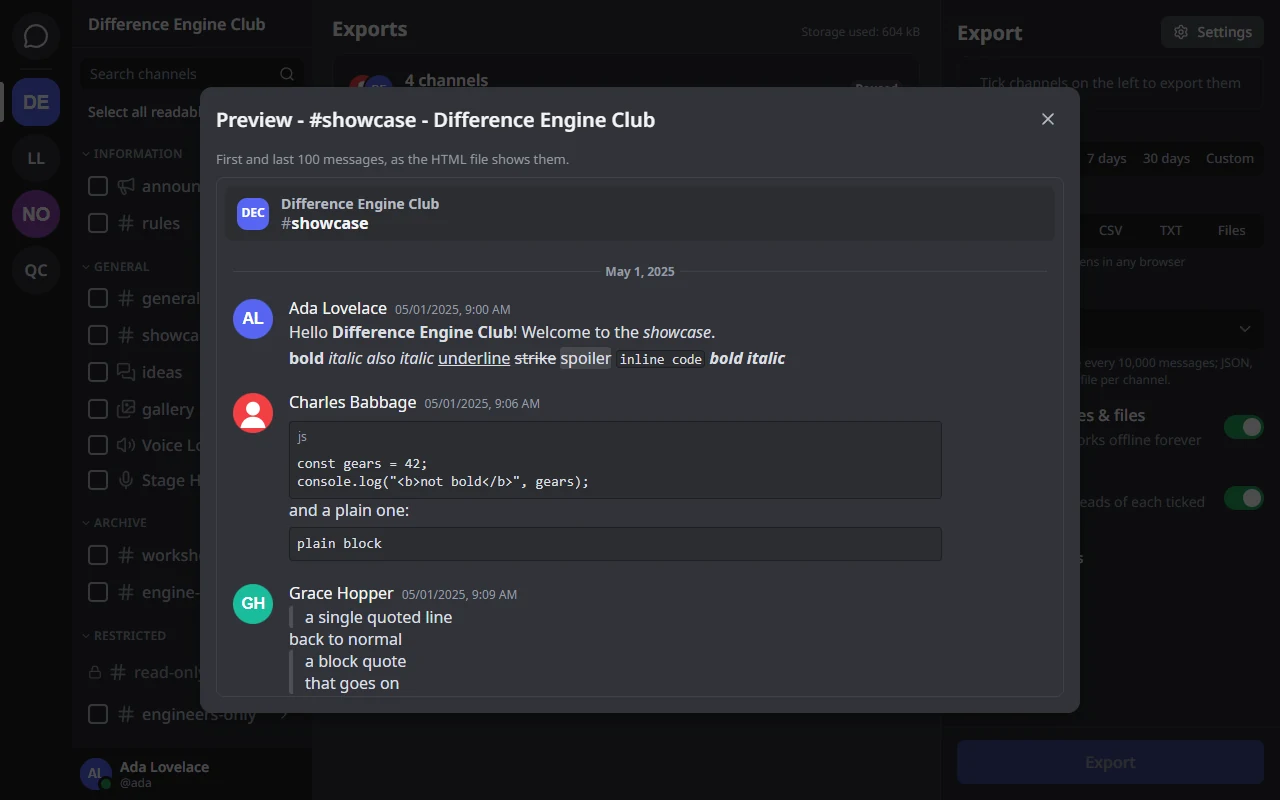
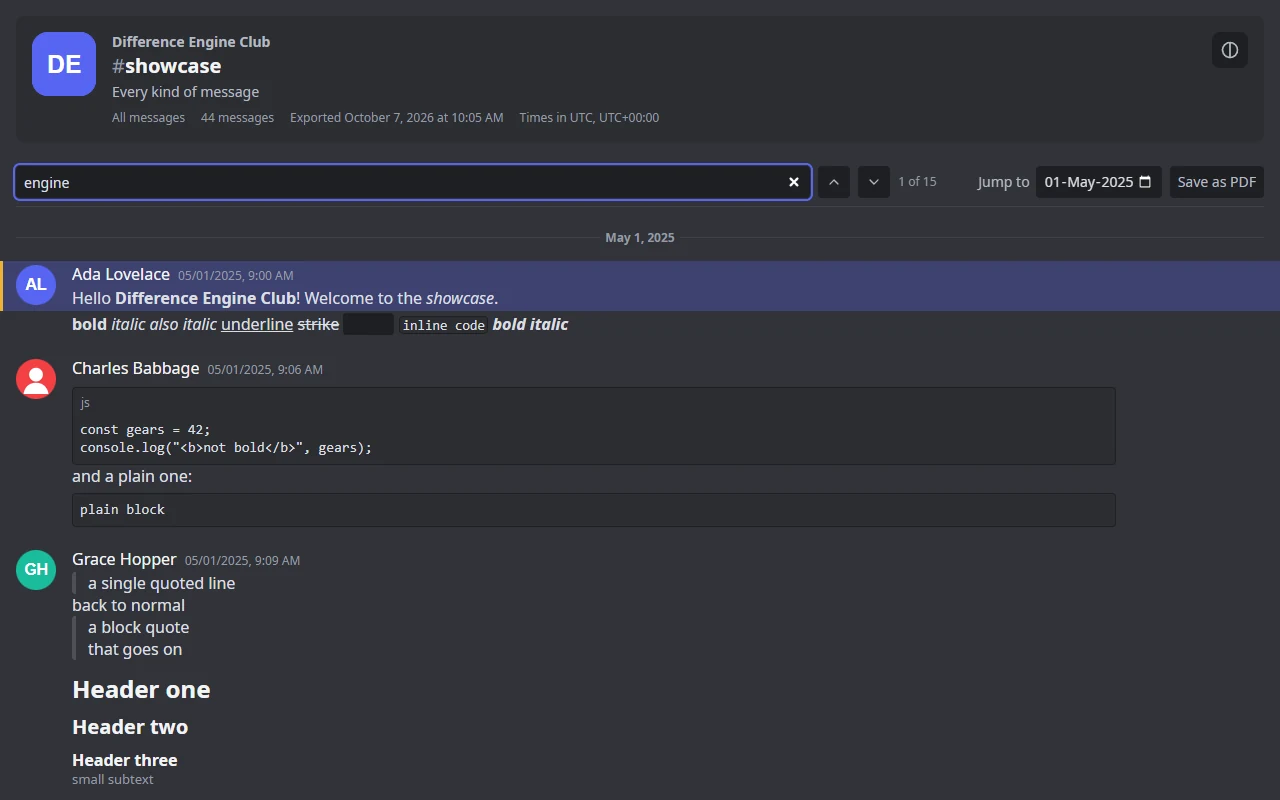
- HTML A page that looks like Discord and works offline: avatars, replies, forwarded messages, embeds, reactions, emoji, stickers and polls. Search it, jump to any date, or save it as a PDF.
- JSON The complete data, for scripts and archives.
- CSV Opens in Excel, LibreOffice or Google Sheets.
- TXT Plain text, easy to read and search.
Turn on “Download images & files” to get every image and attachment, so the export keeps working after Discord's links expire.
Privacy
Everything happens in your browser. Your Discord session and your messages never leave this computer except to talk to Discord itself. No accounts, no analytics, no servers of ours.
Good to know
Discord's Terms of Service do not allow automating user accounts. This extension only reads what you can already see, one page at a time at a gentle pace - but you use it at your own risk.
Questions about this tool?
Chat Exporter for Discord is built by Marty. Write to me with a question, an idea or a bug.
Contact meChat Exporter for Discord is not affiliated with, endorsed or sponsored by Discord Inc. Discord is a trademark of Discord Inc.